We made some really cool updates that transform that dark DMS you have sitting in your store into a full-blown intelligence machine primed for making car deals on.
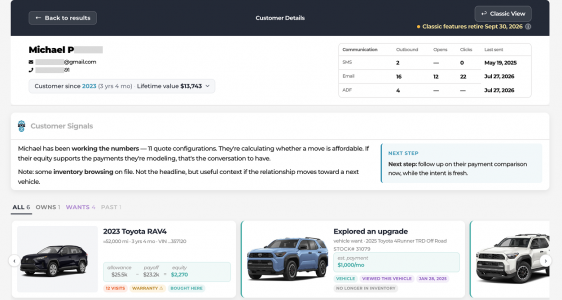
This is a Customer Details Page on steroids! It exists for
EVERY customer you have sold or serviced. If it is in your DMS, it is here.
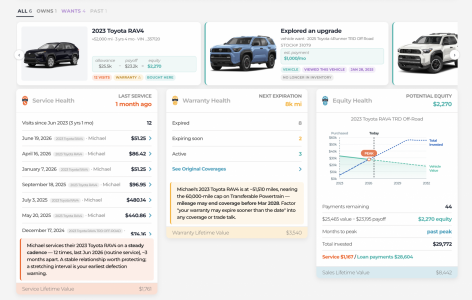 1. Every vehicle, and where the equity sits
Value, payoff, and equity on the card. Alongside it, the vehicles they've been shopping — with the payment they were quoted and the stock number, so you know whether the unit is even still on the ground.
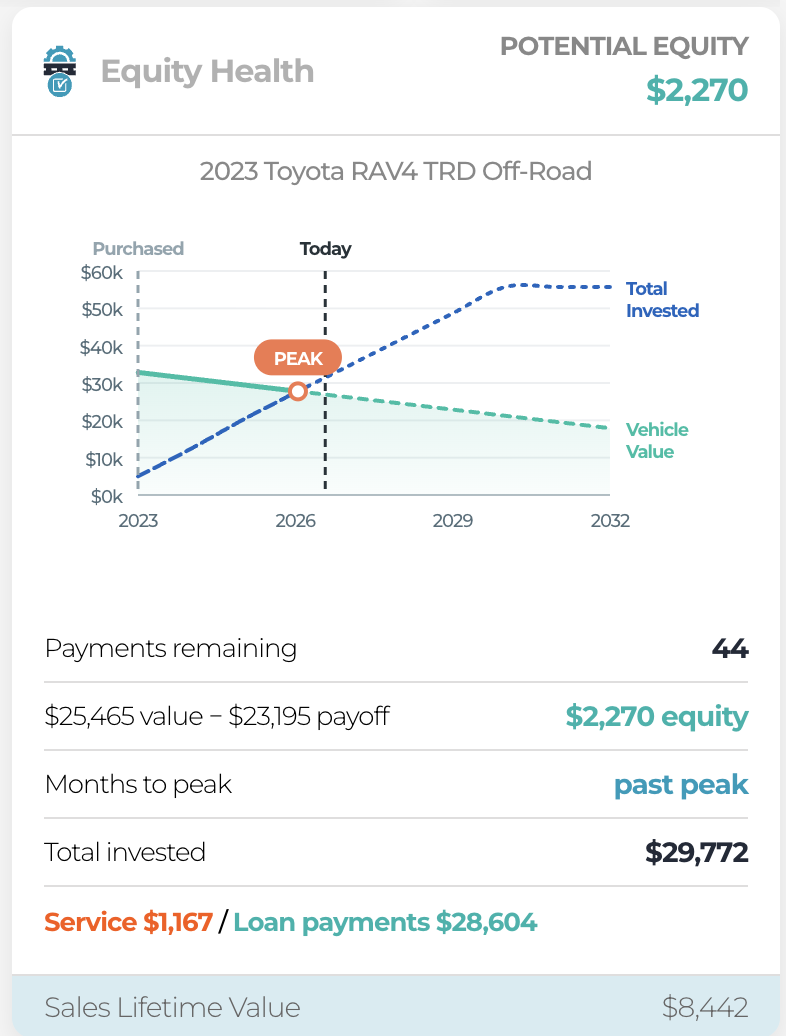
2. Every dollar they've spent in your store, against what the car is worth
We take the customer's actual spend history in your store — service plus loan payments — chart it against current market value, and project it forward. Where the two cross is the peak.
The example below: $29,772 invested ($1,167 service, $28,604 loan payments), car worth $25,465, payoff $23,195. That customer is past their peak and still has 44 payments left.
I haven't seen another tool put store spend and market value on the same axis. If something out there already does it, I'd honestly like to know — point me at it.
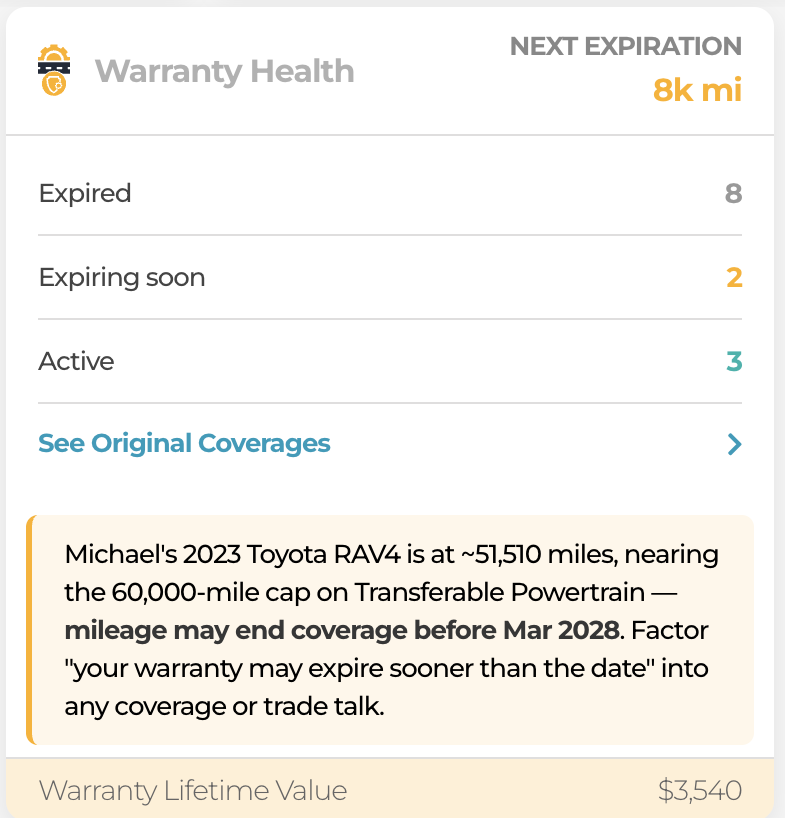
3. Warranty that counts miles, not just dates
Coverage expiring "Mar 2028" is useless if the customer drives 20k a year and the cap is 60k. This watches mileage and tells you when they'll actually run out — which is usually well before the date on the contract.
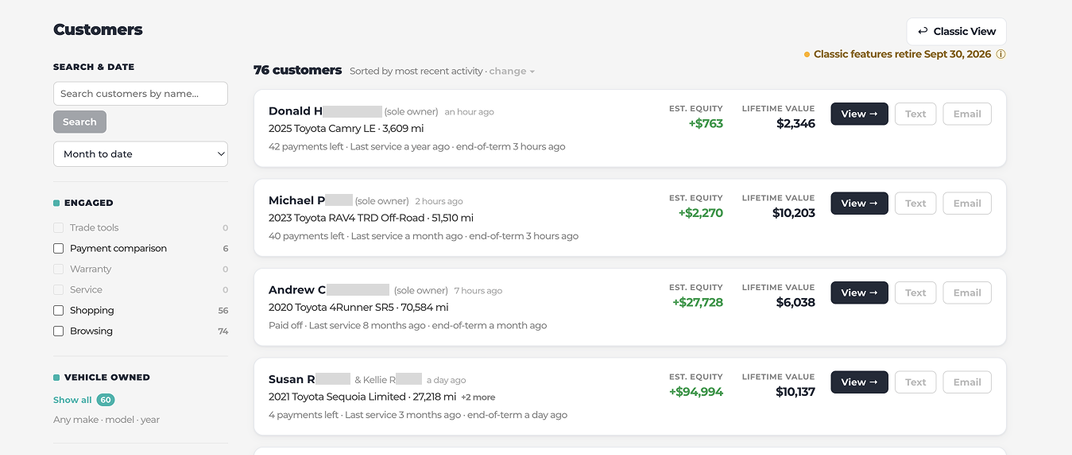
4. A worklist built from what people actually did
Not a score. Filters on observed behavior — ran a payment comparison, used the trade tool, browsed inventory, looked at warranty, scheduled service — plus what they own and what they're shopping for.
5. And a plain-English read on each one
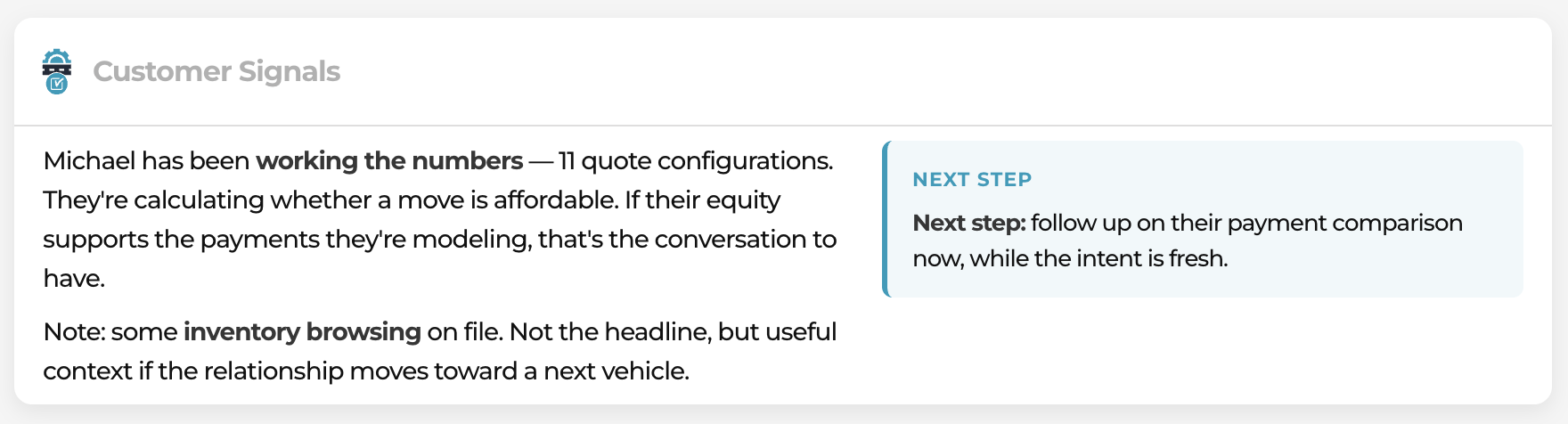
"11 quote configurations. They're calculating whether a move is affordable." A sentence a salesperson can act on. In this example, it is all about sales, but this entire Customer Details Page works for Sales, F&I, and Service. We have deleted the line in the sand between departments.





 interesting...


