




- Jun 1, 2018
- 105
- 91
- Awards
- 5
- First Name
- Brian
Rise and shine, DealerRefresh family! ☀️
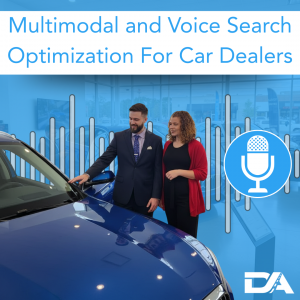
Search is no longer just typed keywords. Shoppers talk to their phones, ask their car’s assistant for nearby options, and use images to identify vehicles they like.
That’s multimodal search.
For dealerships, the goal is to make your pages easy for search engines and AI systems to understand so you show up when shoppers are ready to call, visit, or buy.
Here are a few real-world multimodal examples you’re already competing against:
Voice: “Find a used Jeep Grand Cherokee near me under $30,000.”
Image: A shopper takes a screenshot of a Bronco they like and searches “what model is this?”
Voice + Location: “What dealership near me has a 3-row SUV with AWD and captain’s chairs?”
Text + Image: “Is this the Premium trim?” while searching with a photo of a specific interior.
Multimodal search matters because search engines and AI results are trying to understand intent faster and more accurately. When your site has clear page structure, descriptive image alt text, and proper structured data, you make it easier for those systems to connect the dots and surface your inventory, your service pages, and your dealership locations. Done right, that same foundation strengthens voice search optimization and helps you show up for more high-intent searches.
Voice: “Who has a used Ford F-150 near me under $40,000?”
Typed: “Honda CR-V vs RAV4”
Voice: “Is the Honda CR-V or Toyota RAV4 better for a small family?”
Typed: “oil change coupons”
Voice: “Do you have any oil change specials this week and how long does it take?”
Typed: “Ford service hours”
Voice: “What time does the Ford service department open on Saturday?”
Typed: “bad credit car loan”
Voice: “Can I get approved for a car loan with a low credit score and no down payment?”
Voice also leans heavily local and immediate. You’ll hear “near me,” “open now,” “call,” “directions,” “today,” and “this weekend” a lot. That’s why voice search optimization tends to be closer to conversion than casual browsing.
Examples of natural, voice-friendly topics:
Search is no longer just typed keywords. Shoppers talk to their phones, ask their car’s assistant for nearby options, and use images to identify vehicles they like.
That’s multimodal search.
For dealerships, the goal is to make your pages easy for search engines and AI systems to understand so you show up when shoppers are ready to call, visit, or buy.
What Is Multimodal Search?
Multimodal search means shoppers can search using more than one “mode” or input, like text, voice, and images. Instead of only typing keywords into Google, a customer might ask a question out loud, upload a photo of a vehicle they saw, or combine both. This shift is a big reason why voice search optimization is becoming a must-have for dealerships that want to stay visible.Here are a few real-world multimodal examples you’re already competing against:
Voice: “Find a used Jeep Grand Cherokee near me under $30,000.”
Image: A shopper takes a screenshot of a Bronco they like and searches “what model is this?”
Voice + Location: “What dealership near me has a 3-row SUV with AWD and captain’s chairs?”
Text + Image: “Is this the Premium trim?” while searching with a photo of a specific interior.
Multimodal search matters because search engines and AI results are trying to understand intent faster and more accurately. When your site has clear page structure, descriptive image alt text, and proper structured data, you make it easier for those systems to connect the dots and surface your inventory, your service pages, and your dealership locations. Done right, that same foundation strengthens voice search optimization and helps you show up for more high-intent searches.
How Voice Search Queries Differ From Typed Queries
Voice searches are usually longer, more conversational, and more intent-driven than typed searches. Typed queries tend to be short and vague. Voice queries sound like a real question a customer would ask a salesperson.Examples: Typed vs Voice
Typed: “used f150 near me”Voice: “Who has a used Ford F-150 near me under $40,000?”
Typed: “Honda CR-V vs RAV4”
Voice: “Is the Honda CR-V or Toyota RAV4 better for a small family?”
Typed: “oil change coupons”
Voice: “Do you have any oil change specials this week and how long does it take?”
Typed: “Ford service hours”
Voice: “What time does the Ford service department open on Saturday?”
Typed: “bad credit car loan”
Voice: “Can I get approved for a car loan with a low credit score and no down payment?”
Voice also leans heavily local and immediate. You’ll hear “near me,” “open now,” “call,” “directions,” “today,” and “this weekend” a lot. That’s why voice search optimization tends to be closer to conversion than casual browsing.
Tips for Optimizing Landing Pages and Content for Voice
You don’t “optimize for voice” with one trick. Voice search optimization requires clear content, well-structured pages to answer questions fast, and a clear next step that is obvious on mobile.1) Write Like People Talk
Use plain language. Use the phrases your sales and service teams hear every day. Avoid fluffy marketing copy that never answers the question.Examples of natural, voice-friendly topics:
- “Is AWD worth it for winter driving?”
- “Can I trade in a car I still owe money on?”
- “How much is a brake pad replacement?”
- “Do I need an appointment for an oil change?”
2) Put the Answer Near the Top
Voice results and AI answers often pull short, direct responses. Give them one.
Example: Brake service page opener
“Most brake pad replacements take about 60 to 90 minutes, depending on your vehicle and parts availability.”
Then follow with a few lines that clarify what changes the timeline:
- Rotor condition
- Parts availability
- Shop schedule
- Inspection findings
- Example: Trade-in page opener
“Yes, you can trade in a car you still owe money on. We’ll pay off the remaining balance and apply any equity toward your next vehicle.”
Then explain what happens if they’re upside down, without being dramatic.
3) Add a Real FAQ Section on High-Intent Pages
FAQs work because they match voice-style questions naturally.
Good dealership FAQ examples:
- “What documents do I need to buy a car?”
- “Can I buy a car online and have it delivered?”
- “How much should I put down on a car?”
- “How long does a synthetic oil change take?”
- “Do you take walk-ins for service?”
- “Can I test drive today?”
4) Make Pages “Call-Ready”
A lot of voice searches happen right before a call or a visit. Help the shopper take action.
Best practices:
- Phone number and hours visible without scrolling forever
- Click-to-call buttons that work on mobile
- Address and directions easy to find
- Clear CTAs like “Check availability,” “Schedule service,” “Get pre-approved”
How Dealer Authority Approaches Voice Optimization and Why It Works
At Dealer Authority, we treat voice search optimization as a clarity and structure standard, not a separate SEO gimmick. We build pages that answer real shopper questions quickly, then support those answers with helpful details. We also use clean headings and internal linking so shoppers can move from research to inventory to action without friction.
This approach works because search engines and AI systems prefer content that’s organized and easy to interpret. When your page is structured well, it’s easier for them to extract the best answer and match it to conversational queries.
Read the full blog by tapping here: READ MORE